The screens your students, teachers and parents use.
SampleEvery screenshot comes from our demo programmes, with sample students and sample scores. No real student’s data is shown. To click through a whole programme yourself, open the live demo.
01A student site in your institution’s name
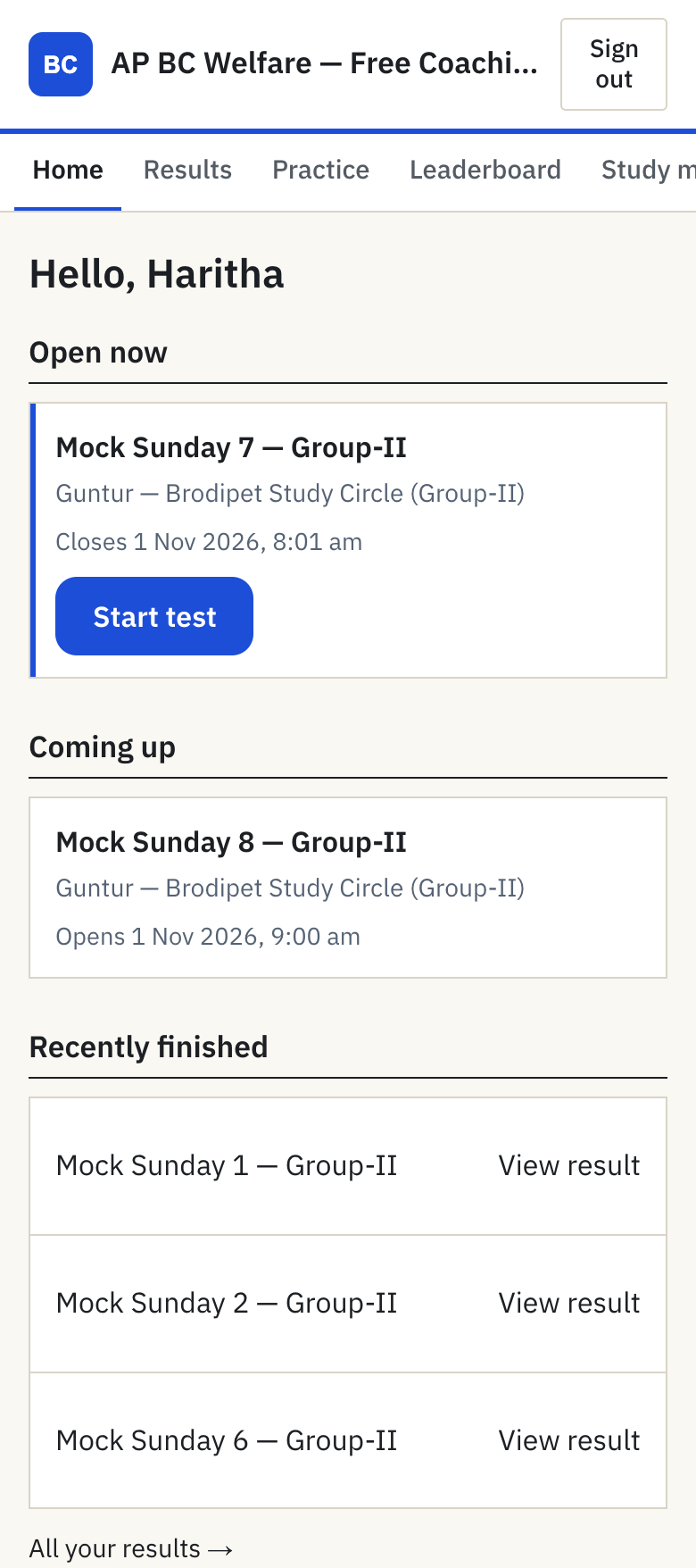
Your students open your own address, yourname.pareeksha.tech, and see your institution’s name and logo. They sign in with the mobile number they gave you and an OTP; no e-mail and no app to install.
- No Pareeksha advertising and no upsells on the student site.
- Students who are not on your roster are told to ask you for the invite link.
- Questions and the test screen in English, Hindi or Telugu.
02Tests on a schedule, results the moment they close
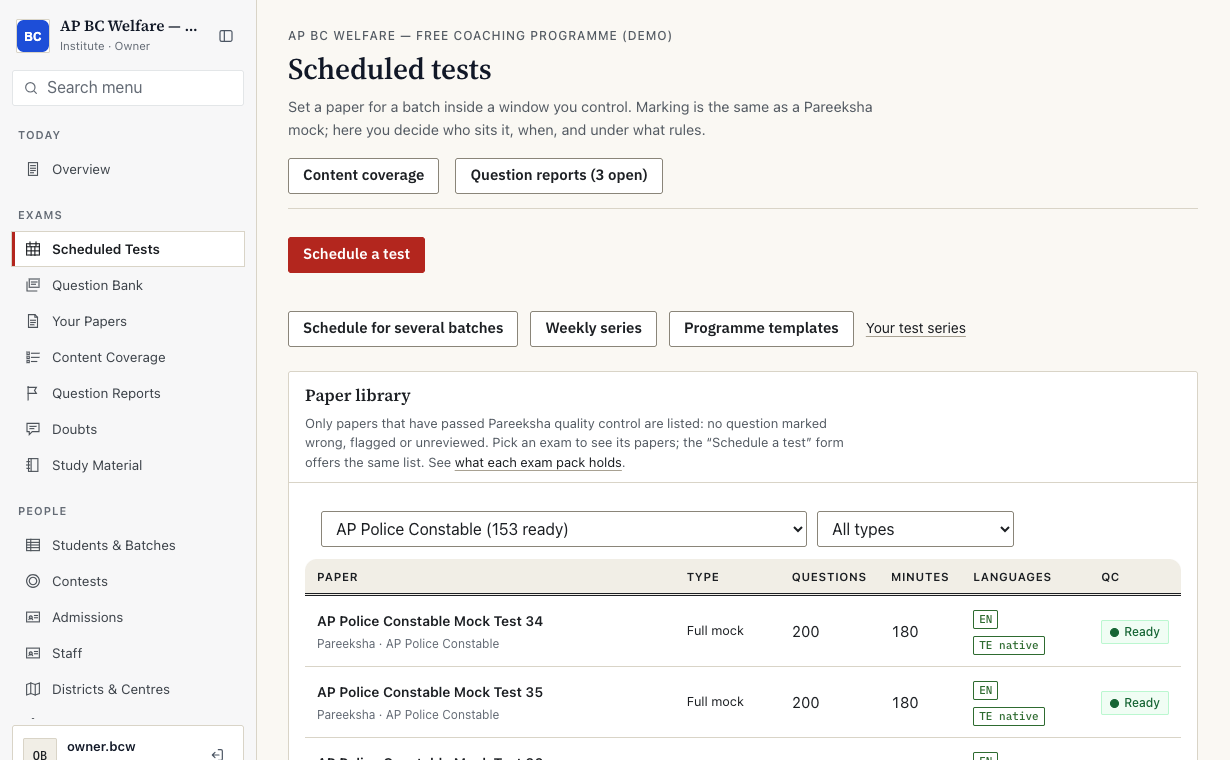
A teacher picks a paper, chooses the batch, and sets the window and the rules. The test appears on each student’s phone when the window opens and closes on time. Scoring is the same as a full Pareeksha mock, including negative marking.
- See who is sitting the test right now, and how many of the batch have sat it.
- Each student gets their score, right/wrong/skipped, marks lost to negative marking and a percentile.
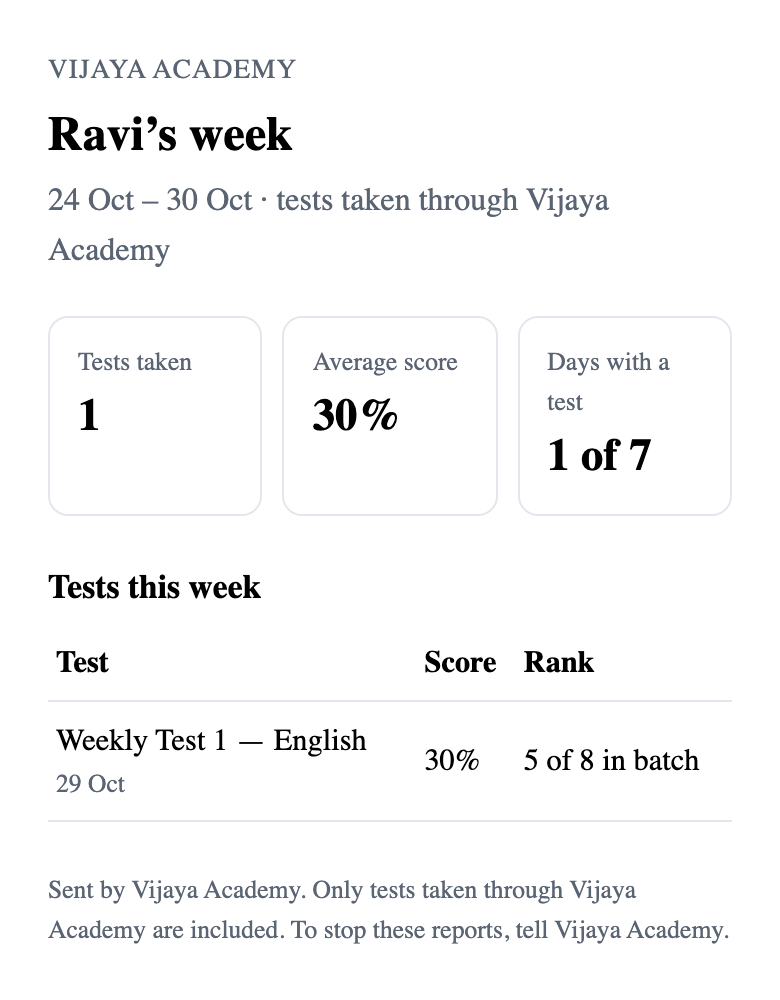
- Each student’s rank inside the batch appears on the parent report (section 6).
03One console for owners, admins and teachers
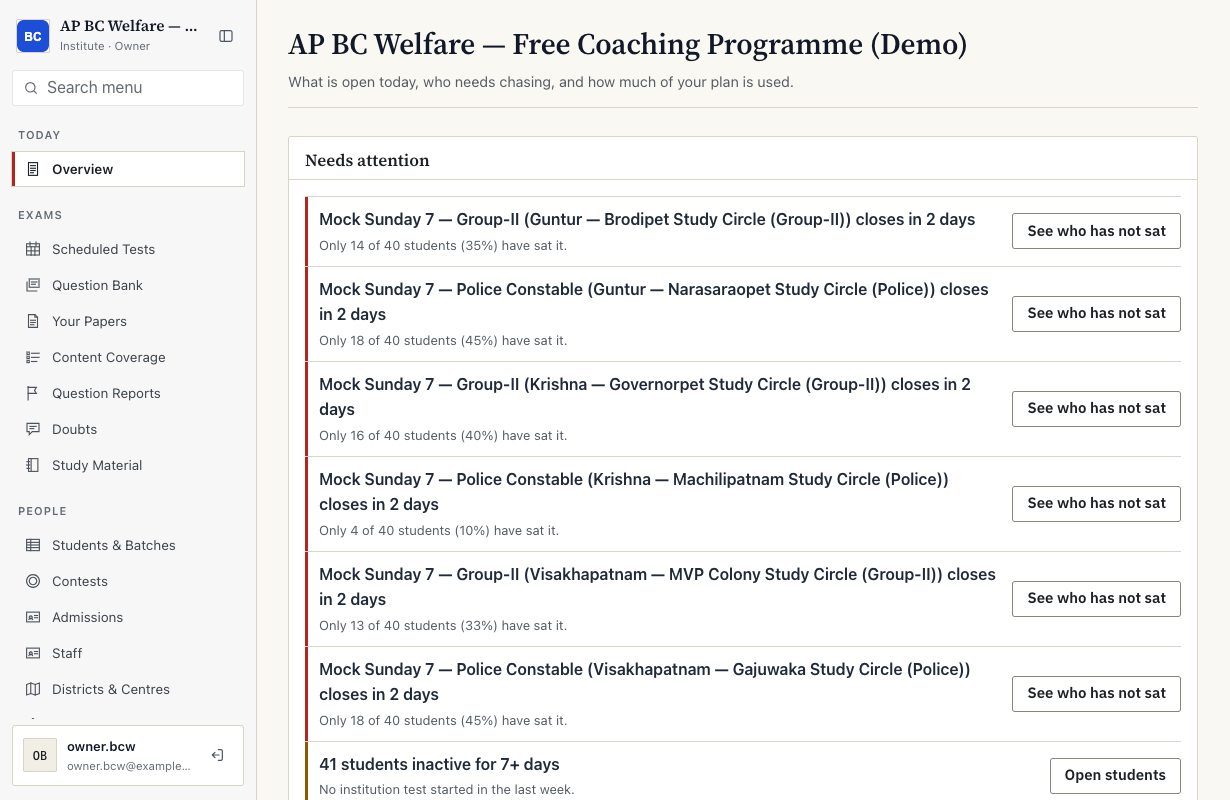
The overview answers “do I need to do anything today”: tests closing with low turnout, students who have gone quiet, seats running out, then tests open now and this month’s use against your plan.
Students join in one tap
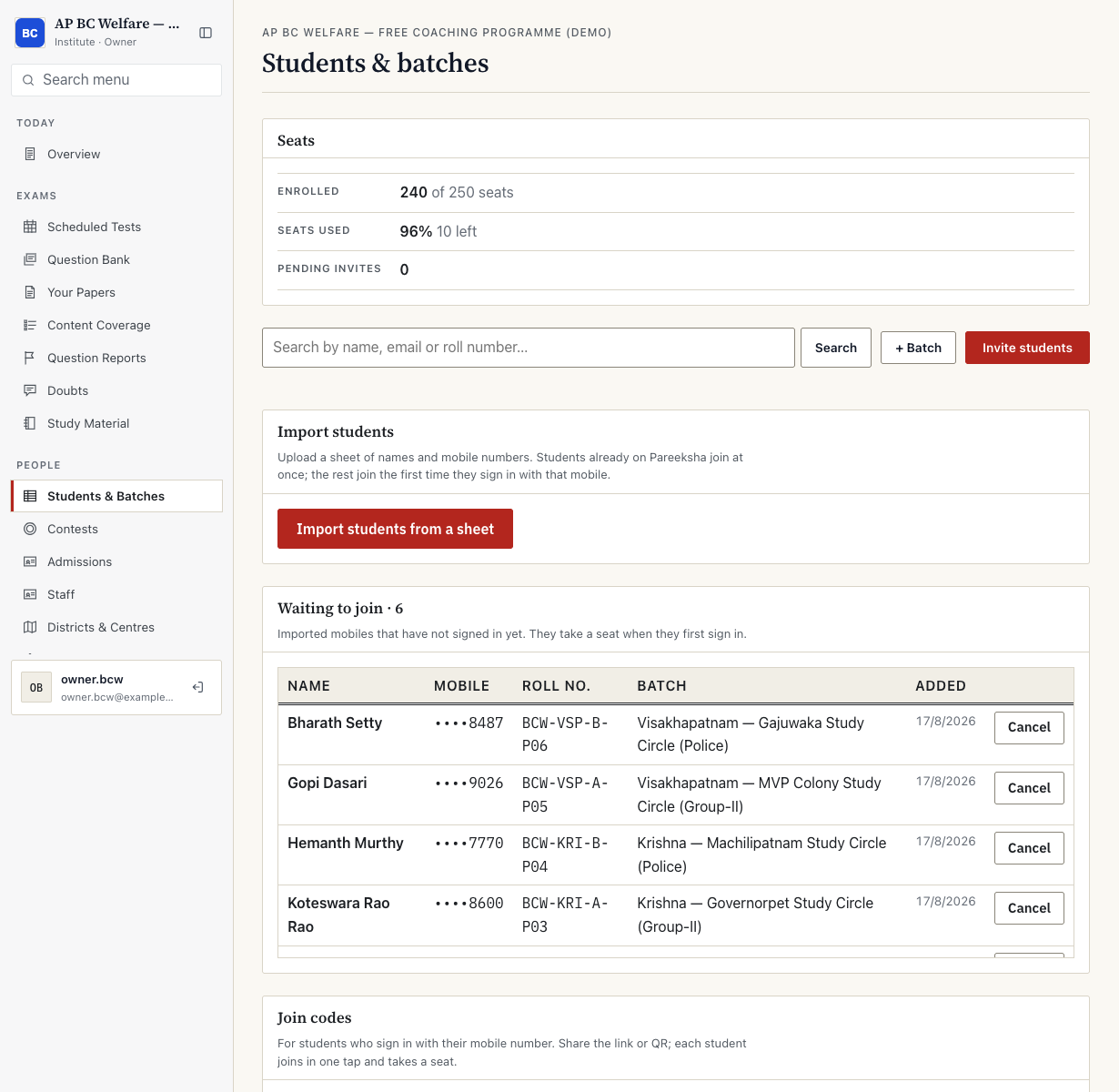
Make a join code for the whole institution or for one batch. Share the link or print the QR code; a student signs in with their mobile number and lands in the right batch. You can also import a roster or invite students one by one, and turn a code off when admissions close.
04A batch report that tells you what to teach next week
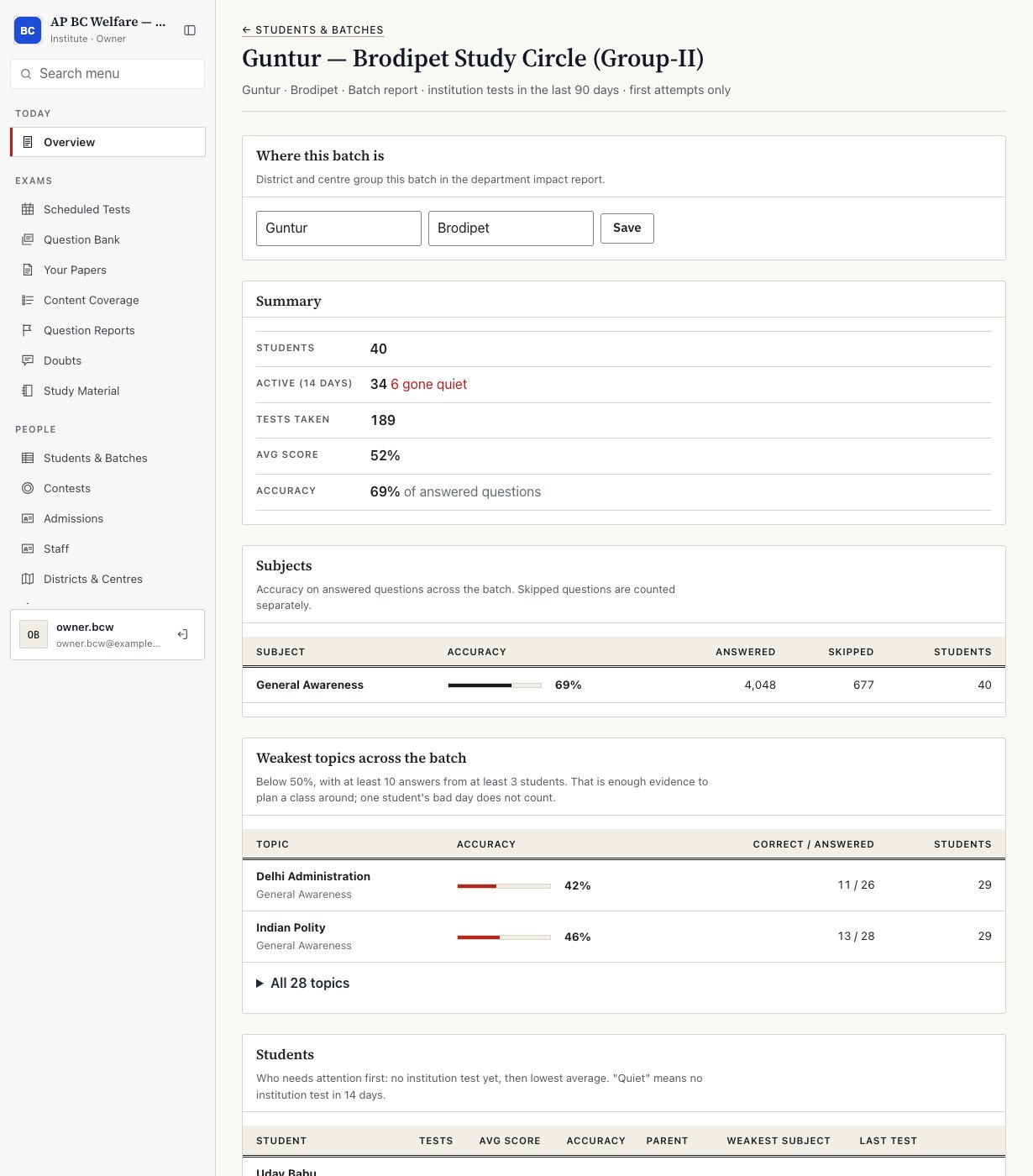
For each batch: students, how many were active in the last 14 days, tests taken, average score and accuracy, accuracy by subject, and the weakest topics across the batch.
- A topic is listed as weak only with at least 10 answers from at least 3 students, which is enough to plan a class around and more than one student’s bad day.
- Further down the same page: every student in the batch, lowest first, with their weakest subject, and turnout for each assigned test.
- Each batch carries its district and centre, which feed the impact report.
05A monthly impact report for management or a funding department
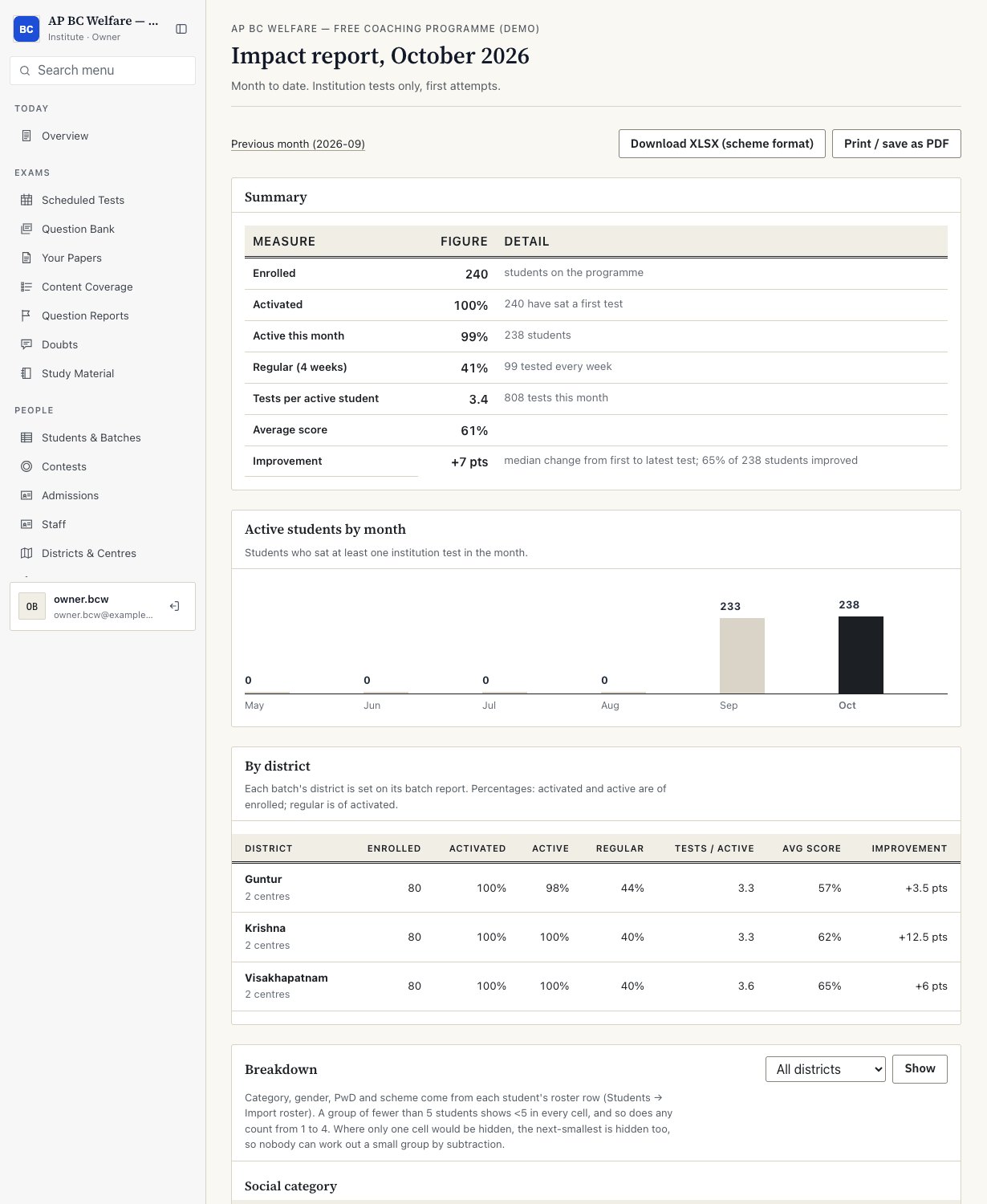
Month by month: enrolled, activated, active, regular, tests per active student, average score and improvement, with a breakdown by district. It prints or saves as a PDF for a review meeting or a utilisation certificate.
- Every figure is defined on the page: what “active”, “regular” and “improvement” mean.
- Improvement is the median change from a student’s first to latest test, and is labelled as descriptive, not adjusted for paper difficulty.
- Only tests taken through your institution are counted.
06A weekly report parents open without logging in
Once a parent’s WhatsApp number is added with their agreement, a teacher sends the week’s summary from their own phone in one tap. The parent opens a page with their child’s tests, scores and rank in the batch. No app, no password.
- Only tests taken through your institution are included.
- The student is told when a parent contact is added, and can stop the reports.
- Results of a test whose scores are held until it closes are never shown early.
- Parent links expire after 14 days and are excluded from analytics.
More on consent and data handling on Trust & data.
Try it with your own batch
See it live with your own students.
- A 30-minute call or visit, in English, Hindi or Telugu.
- A free pilot on your own site with your own batch.
- No card and no contract for the pilot. You decide at the end.